
LinkedIn is one of the world’s largest professional networks, with more than 1 billion members globally. A complete, credible LinkedIn profile can improve how clearly recruiters, clients, partners, and peers understand your expertise. A complete profile is worth the effort because your LinkedIn profile now deserves more attention than a resume in many career and business situations.
LinkedIn profile optimization is the process of improving your profile photo, banner, headline, About section, experience, skills, Featured section, recommendations, keywords, and activity so the right people can understand your expertise and take the next step.
If you are a founder, you may also need a sharper positioning layer, which we explain in our guide to profile optimization for founders.
This guide covers everything you need to know about optimizing your LinkedIn profile - from basics like choosing the right profile picture to advanced strategies for showing up in search results.
Following these proven tips will help you get more profile views, build a stronger personal brand, and create better professional opportunities.
LinkedIn Profile Optimization Checklist
Profile Element | Key Optimization Tips |
|---|---|
Profile Picture | Professional headshot, face takes 60% of frame |
Background Image | High-quality image related to your industry |
Headline | Go beyond your job title. Use relevant keywords, your role, audience, outcome, and one credibility signal. Use up to 220 characters only when it improves clarity. |
About Section | Clear professional story, relevant keywords, proof points, short paragraphs, and a clear call to action. |
Experience | Focus on achievements with numbers, not just duties |
Skills | Add 10+ relevant skills that match job descriptions |
Featured Section | Showcase your best work and achievements |
Keywords | Research and place throughout your entire profile |
Recommendations | Ask colleagues for specific skill endorsements |
Profile URL | Create a custom URL with your name |
How LinkedIn Ranks Profiles in Search Results
When someone searches on LinkedIn, the platform uses unique algorithms and rules to decide which profiles to show first.
LinkedIn does not publish its complete profile search ranking formula. However, profile visibility is generally influenced by relevance to the search query, your profile information, skills, experience, network relationships, activity, and how complete and useful your profile appears to the searcher. Treat LinkedIn SEO as relevance optimization, not as a fixed checklist.
How well your profile matches the search words
How complete and current your profile is, including your photo, headline, About section, experience, education, skills, Featured section, and contact details.
Who you're connected with
How active you are on the platform
How many skills endorsements do you have
Understanding these factors helps you make your profile more visible. LinkedIn usually shows results from your network first, which is why building good connections matters.
Finding the Right Keywords for Your Profile
Create a LinkedIn keyword map with five groups: target job titles, core skills, industry terms, tools or platforms, and outcomes you want to be known for. Use exact terms and natural variations across your headline, About section, experience, skills, and Featured content.
For example, if you work in marketing, your keywords might include:
Digital marketing strategy
Social media management
Content creation
Campaign measurement
Marketing Analytics
Use these keywords throughout your profile, especially in your headline, about section, and experience descriptions.
Elements for LinkedIn Profile Optimization
1. Profile Picture: Make a Great First Impression
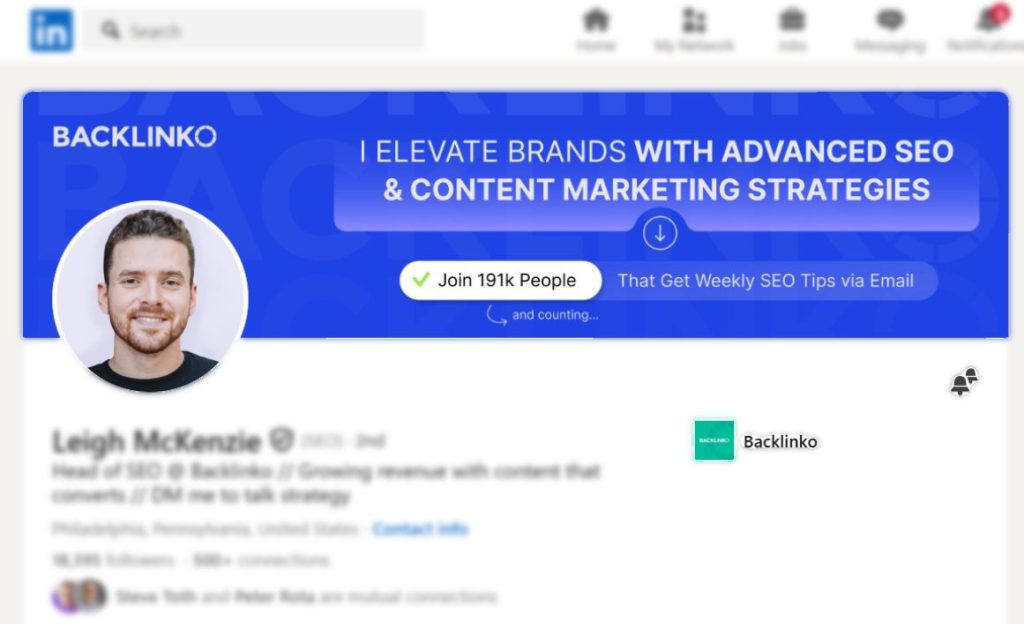
Your profile picture is often the first thing people notice. A clear profile photo helps people recognise and trust your profile. LinkedIn states that members with a profile photo receive up to 2x more profile views and 3x more connection requests.
For best results, use a recent, high-resolution photo where your face takes up about 60% of the frame.
2. Background Image: Add Visual Appeal
Your background image appears behind your profile photo, helping your profile stand out. This wider banner creates a visual context for visitors.
Look at Bill Gaule's LinkedIn background image for his account:

He simply mentioned his own company name, "SERPsculpt," for personal branding on LinkedIn and then mentioned what he does and where he has been seen.
A strong LinkedIn background image should quickly communicate your positioning. Use this space to show your company, industry, offer, audience, proof, or professional theme. Keep the design clean and make sure any text is readable on desktop and mobile.
Here are tips for compelling background images for LinkedIn profile optimization:
Use high-quality images related to your work or industry
Consider using your company branding if appropriate
Add text that highlights your expertise or services
Make sure any text is visible on both computers and phones
Keep it professional and match your personal brand
Many companies provide branded LinkedIn background images for their employees to use.
3. Profile Headline Optimization: Go Beyond Your Job Title
Your LinkedIn headline is extremely important for search visibility and first impressions. Your headline is one of the first things people notice, so learn how to improve your LinkedIn headline before updating the rest of your profile.
While LinkedIn automatically includes your job title, customising your headline can make your profile easier to understand and more relevant for the searches you want to appear in. Use your role, niche, keywords, audience, and measurable value instead of relying only on a job title.
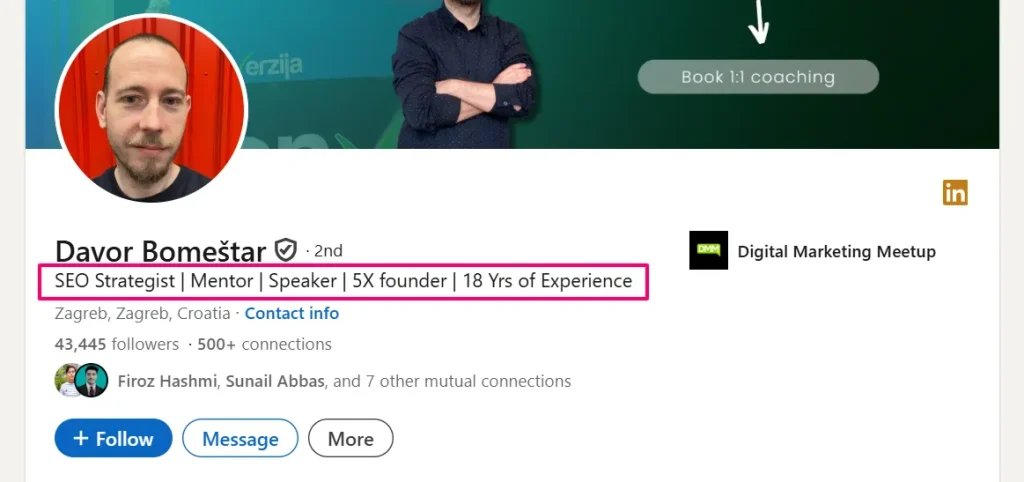
Strategies for better headlines:
Include your job title, but add more information about your value
Use important keywords relevant to your industry
LinkedIn has a character limit (220), so make every word count.
Try this formula: who you are + what problems you solve + benefits you provide
Avoid overused words like "innovative" or "strategic"
For example, instead of just "Marketing Manager," try "Marketing Manager | Helping Companies Grow Through Digital Strategies | Increasing Website Traffic by 45% for B2B Businesses".
For detailed info, visit: LinkedIn Headline Optimization Tips and Examples in 2026
4. About Section: Tell Your Professional Story
The About section supports both profile clarity and search relevance. Use it to explain who you help, what you do, why it matters, and what proof you can show.
It's a chance to be understood and valued for your unique professional journey.
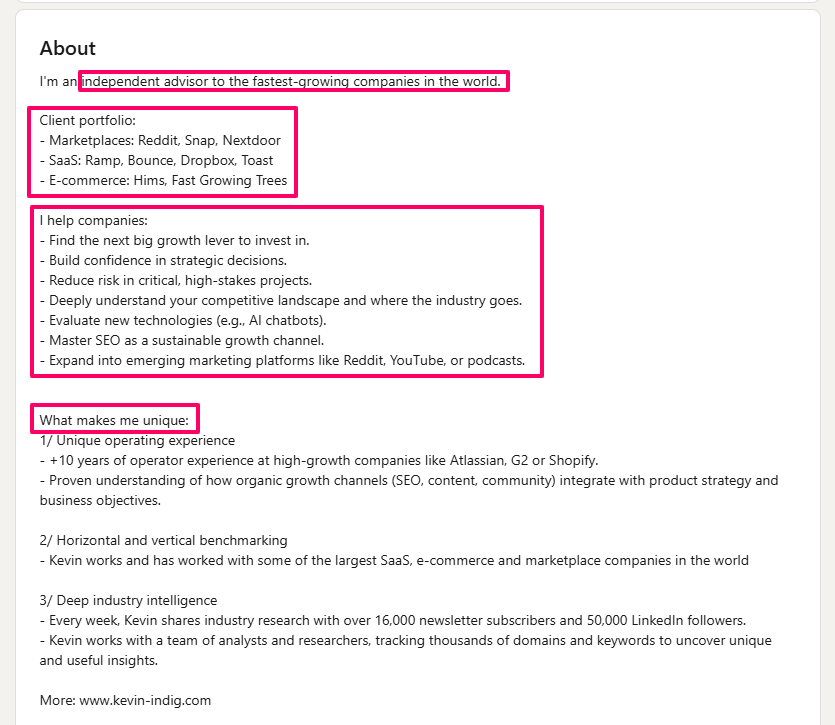
Tips to improve your About section:
Start with an interesting opening to grab attention
Include your most important keywords naturally
Highlight what makes you unique and valuable
Share specific achievements with real numbers
Include a clear call to action telling people what to do next
Use short paragraphs and bullet points for easy reading
Write in the first person ("I" and "my") to create a connection
Avoid overused buzzwords
A strong About section also helps visitors decide whether to connect, message, hire, or follow you.
[elementor-template id="27927"]
5. Experience Section: Show Your Achievements
Your experience section should showcase your accomplishments, not just list your job duties. This section should demonstrate your expertise while using relevant keywords.
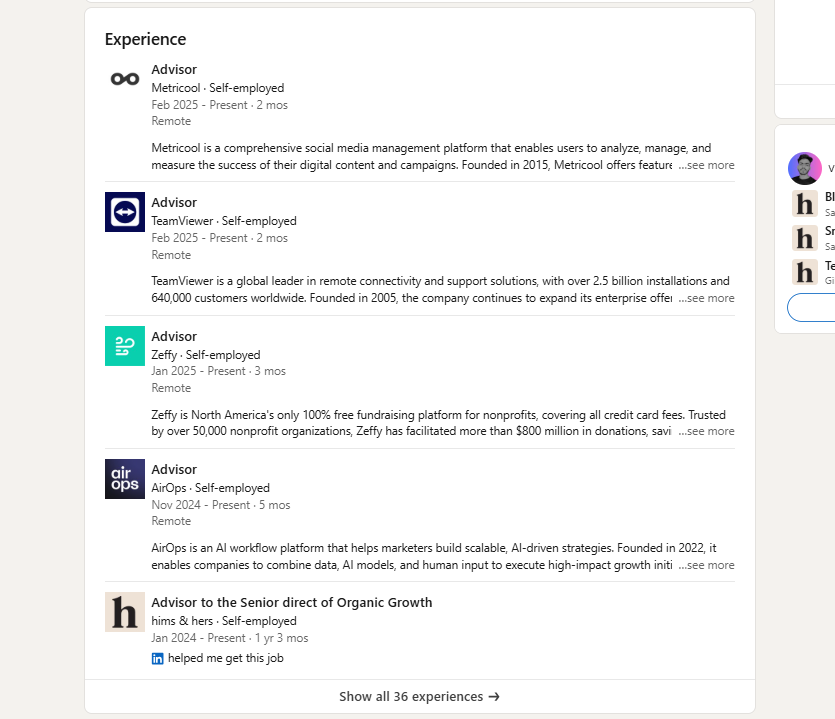
Best practices for the experience section:
Include complete information for each position
Focus on what you achieved rather than just what you did
Use numbers when possible (increased sales by 32%)
Naturally include relevant keywords
Attach samples of your work, like presentations or documents
Keep descriptions clear but thorough
When you include specific results with numbers, you give visitors stronger evidence of your contribution. Use metrics, responsibilities, tools, projects, and outcomes to show what changed because of your work.
6. Skills and Endorsements: Highlight Your Expertise
The skills section directly affects your ranking in LinkedIn searches. LinkedIn allows you to add up to 100 skills to your profile.Prioritise the skills most relevant to your current role, target opportunities, and positioning.
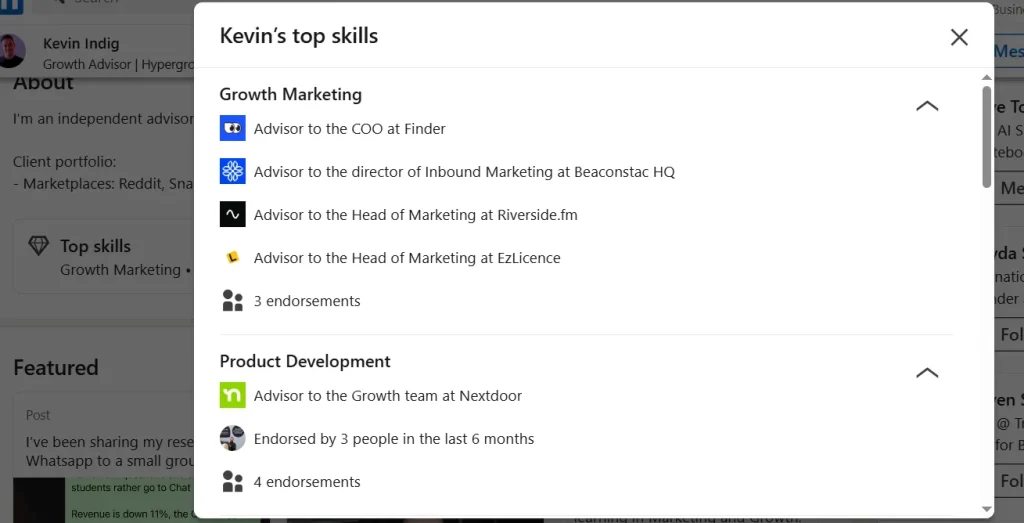
How to optimize your skills section:
Research skills commonly mentioned in job descriptions
Include both technical skills and people skills
Put your most important skills at the top of the list
Use the exact terms that recruiters search for
Ask connections to endorse your top skills
Regularly update as you learn new skills
Endorsements can add social proof, but do not rely on them as a guaranteed ranking factor. Keep your top skills aligned with the roles, clients, or projects you want to attract.
7. Featured Section: Showcase Your Best Work
The featured section appears near the top of your profile and lets you highlight your best work, publications, and achievements.
Ways to improve your featured section:
Include different types of content (articles, presentations, links)
Update regularly with your newest accomplishments
Make sure titles and descriptions contain relevant keywords
Choose visually appealing thumbnails when possible
Select content that directly supports your career goals
This section provides immediate evidence of your expertise and experience, building your credibility.
8. Recommendations: Build Trust Through Others
Recommendations serve as powerful social proof on your profile. Good recommendations from colleagues, managers, or clients greatly enhance your credibility and build trust.
They provide detailed testimony about your work, which can be more persuasive to potential employers or clients. This gives you a sense of reassurance and confidence in your professional relationships.
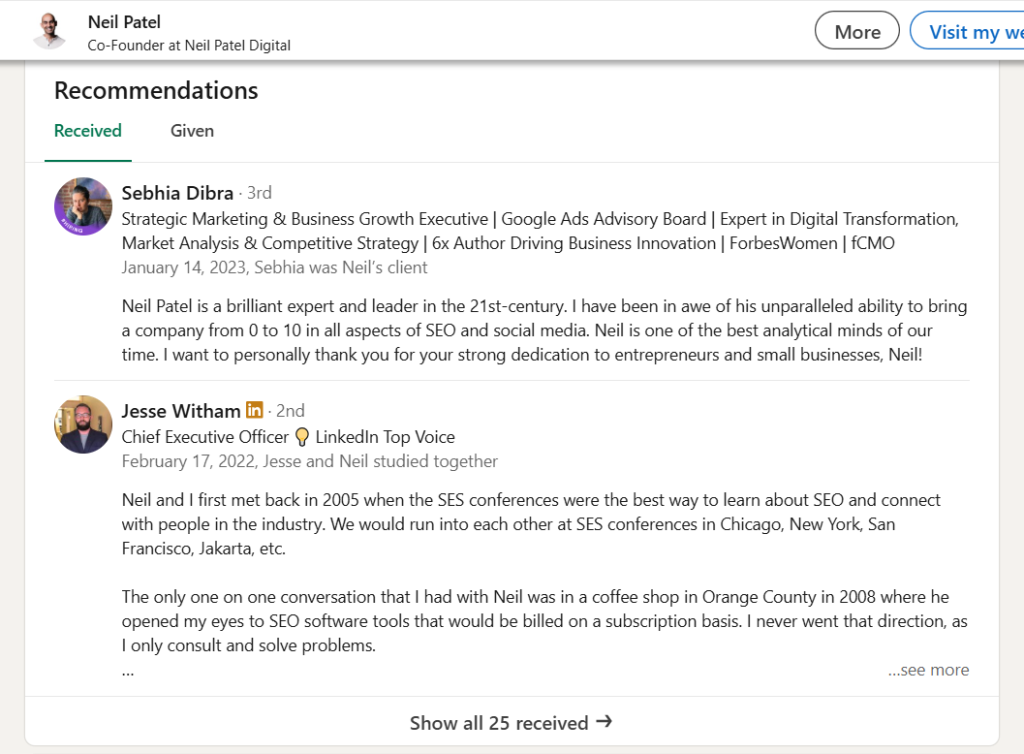
Strategies for getting good recommendations:
Ask for specific recommendations from people who have directly worked with you, such as managers, clients, colleagues, founders, or partners
Ask them to mention the problem, your contribution, and the outcome. Prioritise genuine, detailed recommendations over generic exchanges
Focus on quality over quantity
Try to include relevant keywords when possible
Unlike simple endorsements, recommendations provide detailed testimony about your work, which can be more persuasive to potential employers or clients.
Advanced LinkedIn Profile Optimization Strategies
1. Advanced Strategy: Follow, Analytics, and Creator Tools
Creator Mode is no longer a setting that members can switch on. LinkedIn removed the Creator Mode toggle in March 2024 and removed profile hashtags in February 2024. However, many creator-related tools remain available.
Members can still choose Follow or Connect as the primary profile action where available, access creator analytics if eligible, and use publishing tools such as posts, articles, newsletters, and LinkedIn Live when available to their account. For 2026, focus less on Creator Mode and more on a clear profile, useful content, relevant engagement, and measurable profile analytics.
2. Networking and Engagement Strategy
Optimization goes beyond your profile content—how you interact on the platform matters, too:
Connect with relevant professionals in your industry
Engage regularly with your network's posts
Join and participate in industry-specific groups
Follow thought leaders in your field
Comment thoughtfully on trending topics
Share valuable articles and insights
Regular engagement helps keep your profile visible and shows you're active in your professional community.
3. Measuring Your Profile Success
After optimizing your profile, track metrics like the increase in profile views, how often you appear in search results, the rate of connection requests, response rates to your messages, engagement on your posts, and job or business opportunity inquiries. These statistics provide valuable feedback on your optimization efforts.
Best Practices for Maintaining Your Profile
Regular Updates and Refinements
"LinkedIn profile optimization isn't something you do once and forget.
To maintain effectiveness:
Update your profile at least every three months
Add new skills, certifications, and achievements right away
Refresh your About section and headline yearly
Review your keywords regularly against current industry trends
Ask for new recommendations after completing big projects
Update your photo every 2-3 years
Regular updates signal to LinkedIn's algorithm that your profile is active and current.
Using Profile Analytics to Guide Improvements
LinkedIn provides valuable data about who's viewing your profile and how you appear in searches:
Look at who's viewing your profile and their industries
Note which companies are finding you
Identify keywords bringing visitors to your profile
Monitor which actions on LinkedIn increase your visibility
Track changes in metrics after profile updates
Use these insights to refine your strategy, focusing on elements that bring the most relevant traffic to your profile.
Building Expertise, Experience, Authority, and Trust
Demonstrating expertise, experience, authoritativeness, and trustworthiness is crucial for a strong LinkedIn presence.
Ways to demonstrate these qualities on LinkedIn:
Share original articles and insights showing your expertise
Participate actively in relevant group discussions
Showcase professional experiences and achievements clearly
Collect recommendations from respected industry professionals
Maintain consistent, honest communication
Regularly update your profile with current information
A strong presence not only improves your LinkedIn visibility but also enhances your overall online professional reputation.
Creating SEO-Friendly LinkedIn Content
Writing Effective LinkedIn Posts and Articles
Sharing your knowledge through posts and articles helps establish your expertise and increases your visibility.
Tips for creating engaging LinkedIn content:
Know Your Audience: Understand who you're targeting and tailor your content to their needs and interests.
Diversify Content Types: To keep your audience engaged, use a mix of thought leadership pieces, industry insights, how-to guides, videos, and polls.
Post Consistently: Aim for 3-5 posts per week and ensure they are well-timed to maximize engagement.
Engage with Comments: Respond promptly to comments to foster meaningful discussions and boost your post's visibility.
Use Relevant Hashtags: Include 3-5 targeted hashtags to increase discoverability.
Regular posting keeps you visible in your connections' feeds and demonstrates your active industry knowledge.
Using LinkedIn's Publishing Platform
LinkedIn's article publishing feature lets you create longer-form content directly on the platform.
Benefits of publishing articles on LinkedIn:
Shows your expertise on specific topics
Creates permanent content linked to your profile
Reaches beyond your immediate network
Provides valuable content you can feature on your profile
Establishes you as a thought leader in your field
Publishing original articles regularly helps build your authority and provides content you can highlight in your featured section.
Where to Place Keywords for Maximum Impact
Strategic keyword placement throughout your profile significantly improves your visibility in LinkedIn searches.
The most important places to include keywords:
Headline (highest impact for search rankings)
About section (especially first 3 sentences)
Job titles and descriptions
Skills section
Featured content titles and descriptions
Education and certification sections
Project descriptions
Custom URL
Avoid keyword stuffing, which can make your profile sound unnatural. Instead, incorporate keywords smoothly into meaningful sentences.
Conclusion: Taking Action on LinkedIn Profile Optimization
LinkedIn profile optimization is an ongoing process that requires attention to detail and regular updates. If you want expert help improving your profile, explore our LinkedIn profile optimization services.
By implementing these strategies, you can boost visibility, attract opportunities, and strengthen your professional brand.
Start with the basics: Profile picture, background image, headline, and about section, and refine the rest over time. Include relevant keywords and showcase achievements with specific numbers. Stay active on the platform to maximize your reach.