
Creating a LinkedIn business page takes around 10 minutes if you have everything ready.But simply creating a page isn't enough. How you present your business and keep your page active matters just as much.
Think about it. Someone discovers your business on LinkedIn, visits your page, and finds incomplete information, no proper branding, or outdated posts. It doesn't leave a good impression.
A well-maintained page helps people understand your business, explore your services and build trust in your brand.
What Is a LinkedIn Business Page?
A LinkedIn business page is the official LinkedIn profile for your company. It allows people to discover your business, learn about your products or services, follow your updates, and engage with your content.It's different from a personal LinkedIn profile, which represents an individual and their professional experience.
Here's a simple way to look at it:
Your personal profile tells people who you are, what you do, and what you bring to the table.
Your business page helps people understand what your company does, who you serve, and why they should consider working with you.
For example, if you're a marketing consultant, your personal profile can help you build relationships and share your expertise. Your business page can showcase your services, client work, company updates, and other information about your business.
Both can work together to build a stronger presence on LinkedIn.
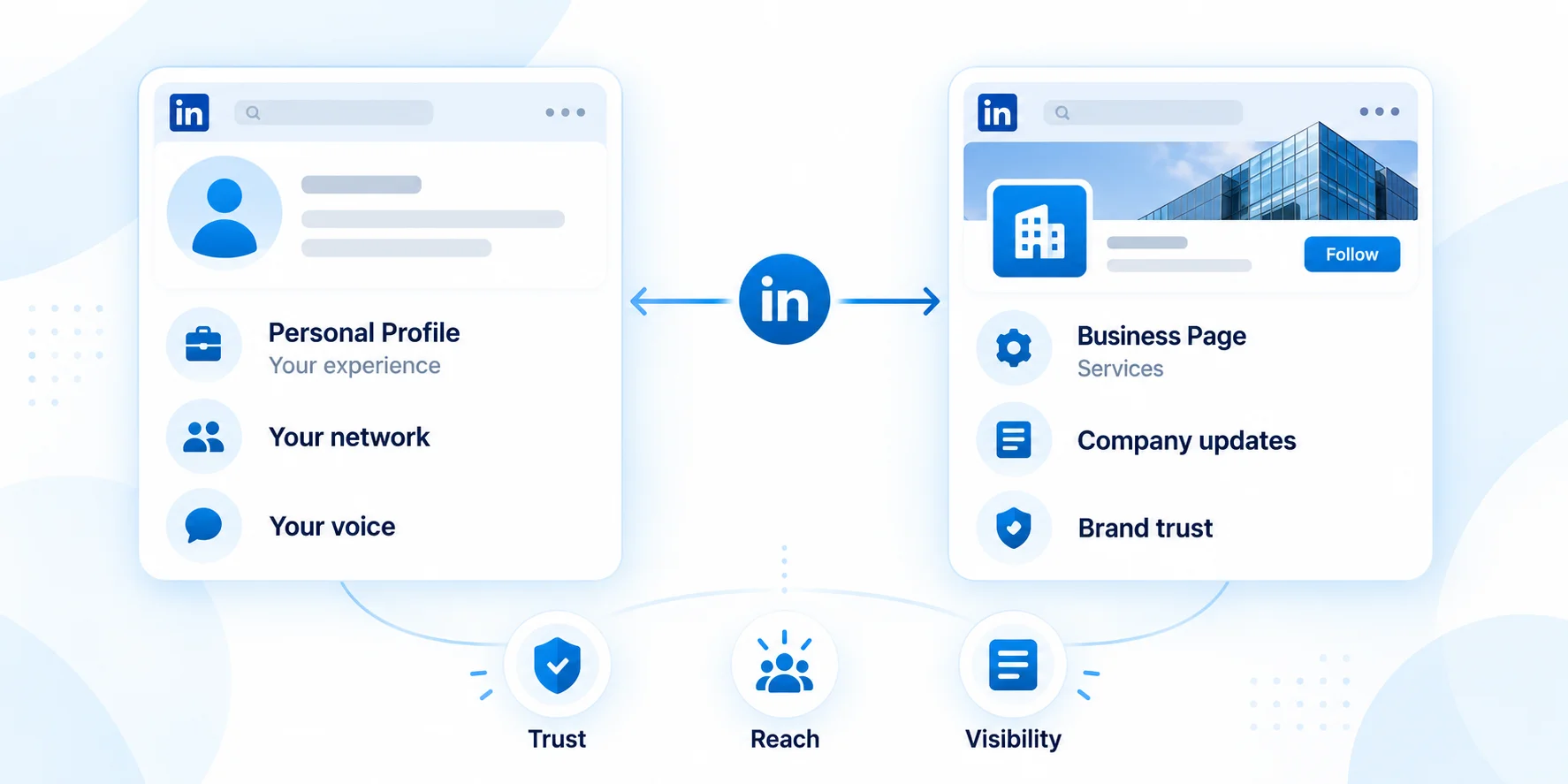
One important thing to remember is that business pages don't always get the same organic reach as personal profiles. People often connect more naturally with content shared by other people than with posts published by a brand.
That doesn't make your company page any less useful. It simply means you should give it a different purpose.Use your page to build credibility and establish your brand, while encouraging founders, employees, and team members to share their own perspectives as well.
Is Creating a LinkedIn Business Page Free?
Yes! You can create a LinkedIn business page for free without needing a paid subscription.
The basic features allow you to publish posts, share company updates, invite people to follow your page, respond to comments, and access page analytics.
You only need to consider paid products if you want additional services, such as LinkedIn advertising or certain sales and recruitment tools.
So, if you're a small business or just getting started, there's no need to invest in paid tools immediately. Start by building a complete page and creating content your audience will find useful.
What Do You Need Before Creating Your LinkedIn Business Page?
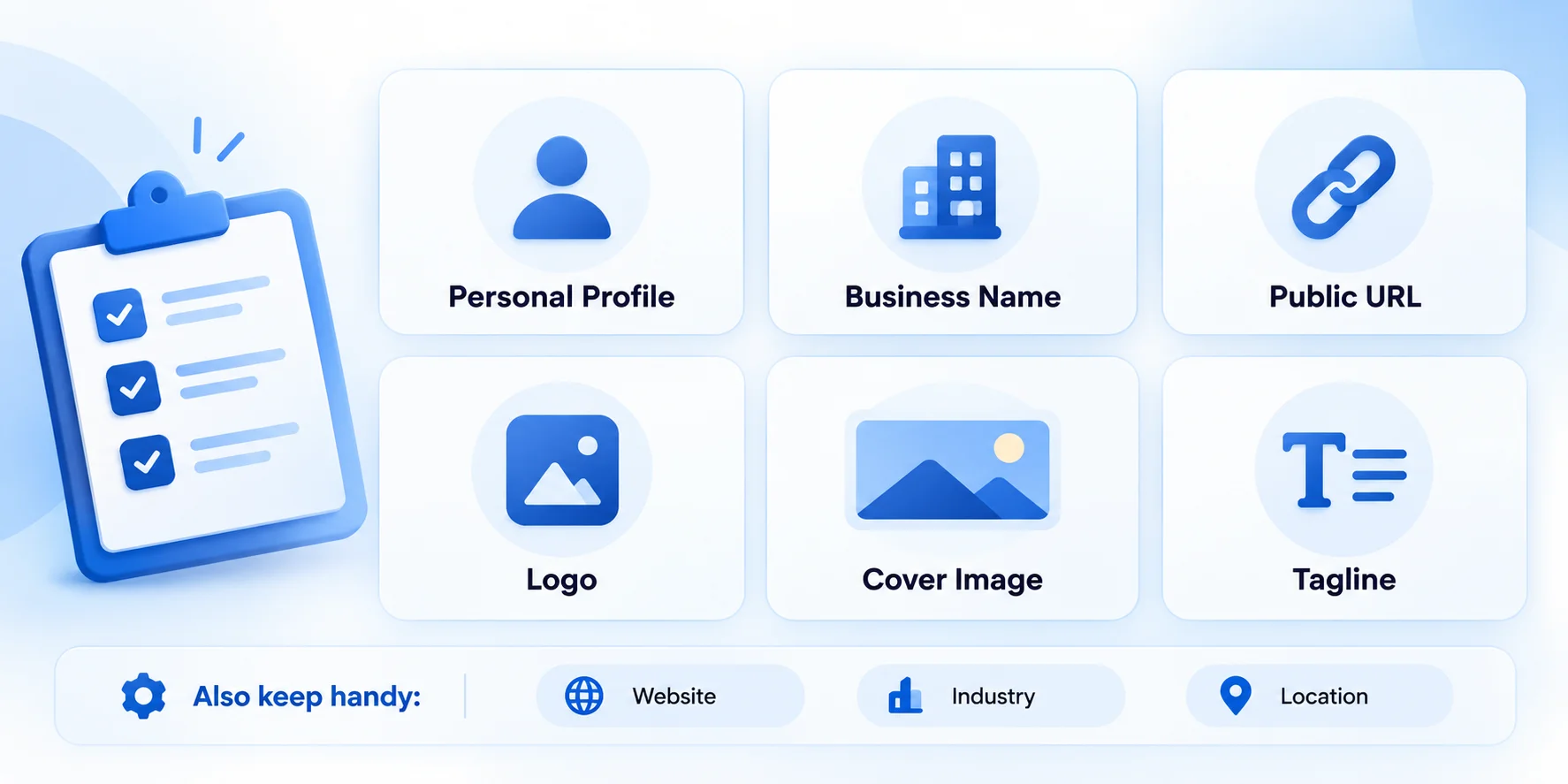
Before opening LinkedIn and jumping into the setup process, take a few minutes to gather the essentials.Having these details ready will make the process easier and faster.
1. A personal LinkedIn profile
You need a personal LinkedIn profile before you can create and manage a business page. LinkedIn may also apply account eligibility requirements, such as account age and connection criteria.
2. Your official business name
Choose the name you want customers, employees, and potential partners to recognise. Make sure it matches the information on your website and other brand profiles.
3. A public LinkedIn URL
Keep your page URL short and easy to remember. Use your company name if possible, or a simple variation if it is already taken.
4. Your company logo
Your logo helps people recognise your business when they come across your posts or visit your page. Use a clear, high-quality image that remains readable at a small size.
5. A cover image
Your cover image is a good place to clearly show what your business does. You could use it to highlight your services, communicate your positioning, or reinforce your brand identity.
6. A clear tagline
Your tagline should explain what your business does without making people work to understand it.
For example, instead of writing:
Innovative Solutions for a Better Tomorrow
Try something more specific:
Helping B2B Companies Build Stronger Brands on LinkedIn
The second option gives visitors a much clearer idea of what to expect.
7. Basic company information
Keep your website, industry, company size, organisation type, and location handy. You'll need relevant details to complete your page and help people understand your business.
A quick note about your visuals
For a standard setup, LinkedIn has commonly recommended a square logo around 300 × 300 pixels and a cover image around 1128 × 191 pixels. Check LinkedIn's current image guidance before uploading, as specifications can change.
Also, don't assume that a cover image that looks great on your laptop will look just as good on a phone. Keep important text and visual elements away from the edges, and preview the design on different screen sizes.
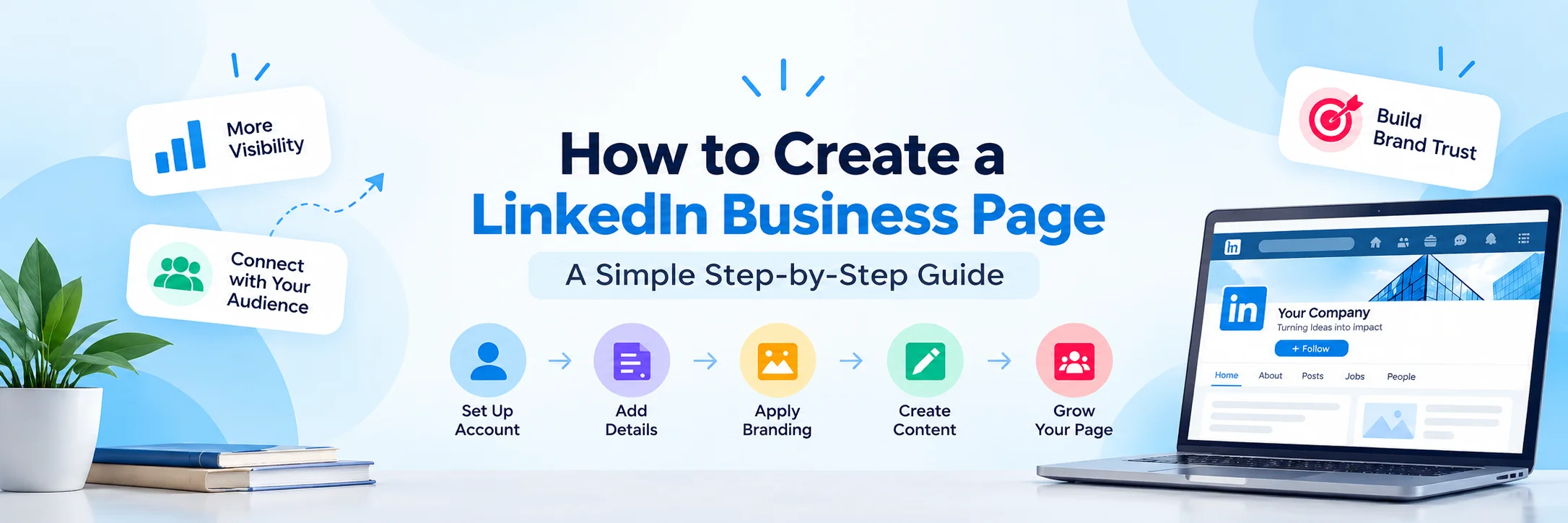
How to Create a LinkedIn Business Page: Step-by-Step
Once you have all the required details ready, you can begin creating your LinkedIn business page. Using a desktop is recommended as it's easier to review and complete the setup.
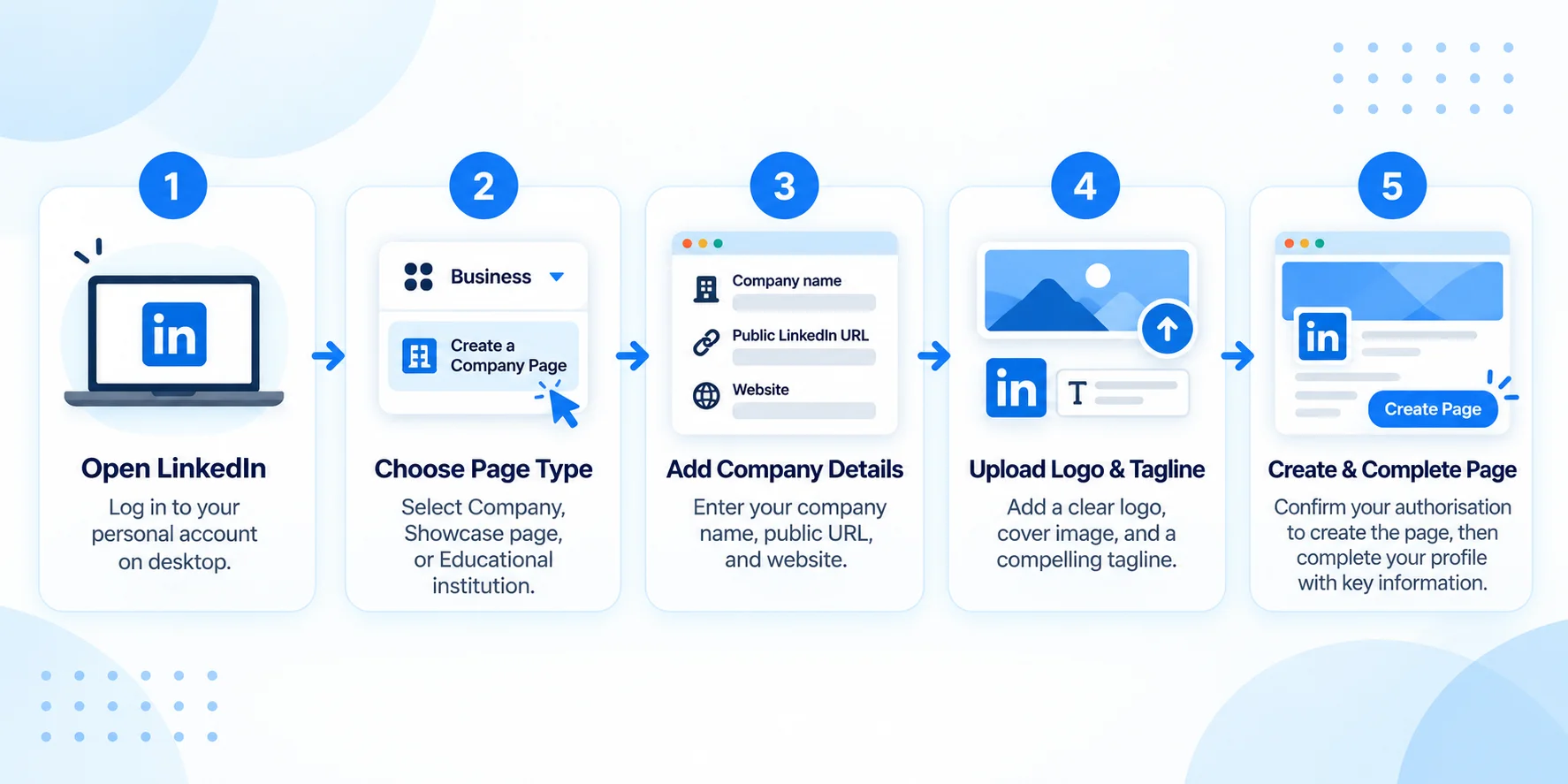
Step 1: Open LinkedIn on your desktop
Log in to your personal LinkedIn account.
Click For Business in the top navigation bar, then select Create a Company Page.
The option's location may change with LinkedIn updates, so check the menu if you don't see it immediately.
Step 2: Choose the right page type
LinkedIn offers three main page types:
Company: For businesses, startups, agencies, and organisations.
Showcase page: For specific products, services, brands, or business units linked to an existing company page.
Educational institution: For schools, colleges, and universities.
For most businesses, Company is the right option. Choose a Showcase Page if you want to highlight a specific brand, service, or part of your existing business.
Step 3: Enter your company details
Fill in the required information:
Company name
Public LinkedIn URL
Website
Industry
Organisation size
Organisation type
Make sure your company name, URL, and other details are accurate and consistent with your brand. Choose categories that accurately describe your business and the services you offer.
Step 4: Upload your logo and add a tagline
Upload a clear, high-quality company logo and write a short tagline explaining what your business does.
Avoid complicated or generic phrases. Your tagline should clearly tell visitors what your business does at a glance.
Tip: If someone can't understand what you offer from your company name and tagline, make the wording simpler.
Step 5: Confirm your authorisation and create the page
LinkedIn will ask you to confirm that you're authorised to create the page for your organisation.Review your details, tick the confirmation box, and click Create Page.
Your LinkedIn business page is now created! However, complete your profile before inviting people to follow it.
Once the page is live, think beyond the initial setup. A clear linkedIn branding approach helps keep your company page, messaging, visuals, and content consistent as you start building your presence
Step 6: Complete your company profile
Add the key business details to make your page complete, clear, and professional.
About: Explain what your business does, who it helps, and how.
Website: Add your official website link.
Industry and company details: Keep your business information accurate.
Location: Add your business location or locations.
Cover image: Upload a branded image that looks good on desktop and mobile.
Call-to-action button: Where available, choose a relevant action, such as visiting your website or contacting your business.
Your profile should help first-time visitors quickly understand your business and decide whether it's relevant to them.
Step 7: Publish a few posts before inviting followers
An empty business page doesn't give visitors much reason to follow it.
Before promoting your page, publish a few posts that introduce your brand and showcase your expertise.
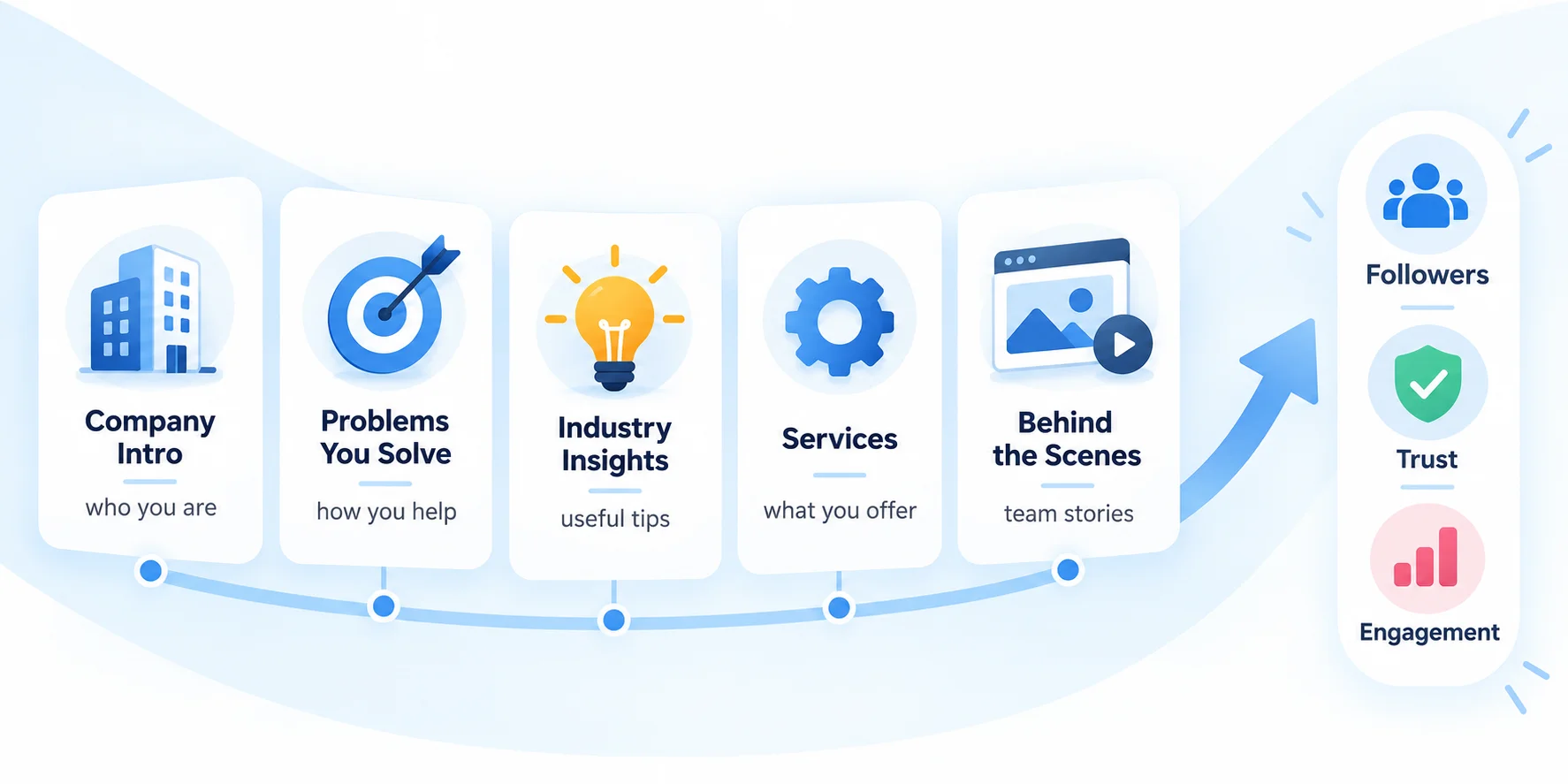
Start with:
Company introduction: Briefly explain who you are, what your business does, and what it stands for.
Problems you solve: Explain how your business helps customers.
Industry insights: Share useful tips, trends, or lessons.
Products or services: Introduce what you offer.
Behind-the-scenes stories: Introduce your team and share the people behind your business.
These posts help visitors understand your company better and give them a reason to follow your page.
How to Optimise Your LinkedIn Business Page
Creating a LinkedIn page helps your business be seen on LinkedIn. Optimising it helps make that presence more useful.
Here are a few important things to keep in mind.
Write an About section that sounds like your business
Your About section shouldn't read like a list of corporate buzzwords.
Instead of filling it with phrases like industry-leading solutions, innovative excellence, and customer-centric approach, focus on what people actually want to know.
Explain:
What does your company do?
Who do you work with?
What problems do you help solve?
What makes your approach different?
How can someone get in touch?
For example, a digital marketing agency could explain the types of businesses it works with, the services it provides, and the outcomes it aims to support.
The goal is simple: make it easy for visitors to understand your business without having to decode your description.
Use keywords naturally
Think about the words your ideal customers might use when searching for a company like yours.If you run a social media agency, relevant phrases could include social media management, content strategy, LinkedIn marketing, and brand positioning.
Use the terms that accurately describe your services in your tagline, About section, and other relevant page details.There's no need to repeat the same keyword in every sentence. Write for people first, then make sure the language reflects what your business actually offers.If founders or team members also represent the business on LinkedIn, good linkedIn profile optimization can help keep their personal profiles aligned with the same positioning, expertise, and relevant keywords.
Make your branding consistent
Your LinkedIn page should feel connected to your website and other professional channels.
Use consistent branding, clear messaging, and a recognisable visual identity.This does not mean all your posts have to look the same.It means visitors should be able to recognise your business and understand what it stands for across different touchpoints.
Choose a relevant call to action
What do you want people to do after visiting your page?
Maybe you want them to explore your website, learn about your services, or contact your team.
Where LinkedIn offers a suitable custom button, choose one that supports that goal.Just make sure the destination is relevant and working. A button that sends people to an outdated page or an irrelevant landing page can create unnecessary friction.
Add the right page admins
Your business page shouldn't depend entirely on one person's LinkedIn account.
Add trusted colleagues or company representatives who need to help manage the page. Assign appropriate admin permissions and make sure there is a clear understanding of who handles publishing, engagement, and updates.
This becomes particularly important when you're managing a company page as part of your job or working with a client.Keep ownership clear, and make sure the business retains appropriate administrative access.
What Should You Post on Your LinkedIn Business Page?
Now comes the part that makes many businesses pause.
The page is ready. The logo looks good. The About section is complete.
But what do you actually post?
The easiest way to approach this is to stop thinking of your page as a place for company announcements alone.Your audience doesn't need every post to be about your latest update. They need reasons to pay attention to your business.
Here are five simple content ideas to help you get started.
1. Share useful industry insights
Talk about a problem your audience faces, a common misconception, or a lesson that could help them make a better decision.
For example, a recruitment firm could share tips for improving the candidate experience, while a marketing agency could explain why some content strategies fail to generate enquiries.
The idea is to make your content useful even to someone who isn't ready to buy from you.
2. Explain what your business does
Don't assume everyone understands your services just because they follow your page.
Break down your offerings into simple, informative posts.
Explain who a service is for, what problem it solves, and what working with your business looks like.
You don't have to turn every post into a sales pitch. Helping people understand your work is valuable on its own.If LinkedIn is an important growth channel for your business, linkedIn marketing services can help connect this type of useful content with a wider plan for engagement, visibility and lead generation.
3. Share customer stories and project learnings
With appropriate client permission, talk about a project, challenge, or outcome that demonstrates your expertise.
You could explain what the original problem was, how your team approached it, and what you learned along the way.
Keep the story specific and accurate. A real example is often more useful than a broad claim about being the best in your industry.
4. Introduce the people behind the business
People want to know who they are working with.
Introduce team members, share their expertise, or talk about the thinking behind a project.
Employee perspectives can also help your company reach people who might never have discovered the page through its own posts.
Encourage employees to share their own views in their own voices rather than asking everyone to publish identical company-approved messages.
5. Share company updates with context
Product launches, new partnerships, company milestones, and team achievements all have a place on your page.
The trick is to explain why the update matters.
Instead of simply announcing a new service, explain the customer problem it addresses. Instead of sharing a milestone without context, talk about what the team learned while reaching it.
A little context can turn an ordinary announcement into something worth reading.
How Often Should You Post on LinkedIn?
Being consistent is important, but you do not need to post every day.
For many businesses, starting with two posts a week is a manageable way to build a routine. If your team has the time and resources to create more useful content, you can increase the frequency later.
The key is to choose a posting schedule you can follow regularly.
For example, you could publish an educational post early in the week and a project insight or company update later in the week.
Plan your topics in advance, keep a few posts ready for busy periods, and review what your audience responds to.
Don't increase your posting frequency just to fill the calendar. Two relevant posts are more useful than five rushed updates that offer little value.
How to Grow Your LinkedIn Business Page
Publishing content is important, but growth usually requires more than posting and waiting for followers to arrive.
Here are a few practical ways to help more relevant people discover your business.
Invite relevant connections to follow your page. Start with people who genuinely know your business, including colleagues, partners, and existing professional contacts. Use LinkedIn's available invitation features and limits.
Connect your employees to the company page. Encourage team members to list the correct company on their profiles. This helps visitors discover the business through the people who work there.For B2B companies, employee visibility works even better when it is part of a wider linkedIn B2B marketing strategy that combines company content, founder activity, employee expertise, and audience engagement
Encourage employees to share their perspectives. A founder discussing a lesson from the business or an employee explaining a project can introduce the company to a wider audience. Original posts are often more natural than simply resharing every company update.
Engage with relevant conversations. Participate in discussions where your company can contribute something useful. Relevant and genuine comments from your page can help more people discover your brand.
Make your page easy to find. Add your LinkedIn page to your website, email signature, and other appropriate business touchpoints.
Review your analytics. Look at impressions, engagement, follower growth, and relevant website activity where available. Use the information to understand which topics and formats are worth exploring further.
Remember, follower count is only one part of the picture. A smaller audience of relevant prospects can be more valuable to your business than a large audience with little interest in what you offer.
How to Measure Whether Your LinkedIn Page Is Working
Before tracking your results, decide what you want your page to achieve.
Are you trying to improve brand awareness? Attract potential customers? Support recruitment? Build credibility with business partners?
Your goals will help you decide which numbers are most important to track.
Your goal | What to monitor |
|---|---|
Brand awareness | Impressions and audience growth |
Audience engagement | Comments, reactions, and engagement trends |
Website traffic | Referral traffic and link clicks where available |
Lead generation | Relevant enquiries and conversions |
Recruitment | Career-page interest and relevant candidate enquiries |
You do not need to track every number every day. Review performance periodically, identify patterns, and use what you learn to improve your content.
For instance, if educational posts consistently attract meaningful comments, consider creating a recurring series around the topic. If a particular post brings relevant website visits, explore what made it useful to your audience.Analytics should help you make better decisions, not simply give you more numbers to track.
Common Mistakes to Avoid When Creating a LinkedIn Business Page
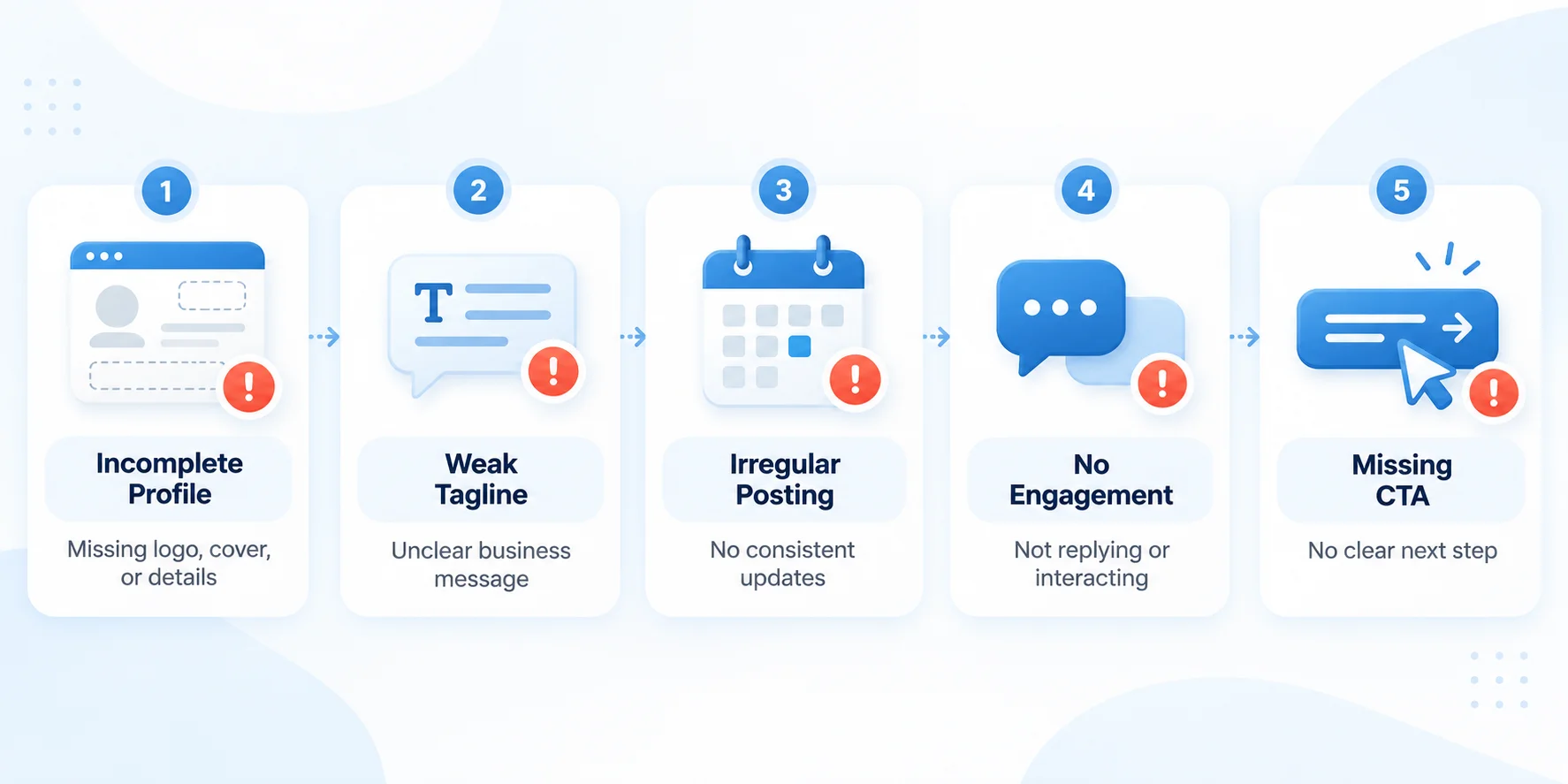
A few small mistakes can make your page less useful than it could be.
Leaving the page incomplete: Missing information makes it harder for visitors to understand your business. Complete the important sections before promoting it.
Using a vague tagline: People should be able to understand what you do without guessing.
Publishing only promotional content: If every post asks people to buy something, you give them very few reasons to keep following your page.
Ignoring comments: Engagement is an opportunity to build relationships. Respond thoughtfully instead of treating comments as notifications to clear.
Posting inconsistently: A burst of activity followed by months of silence makes it difficult to build a reliable presence.
Focusing only on followers: Growth matters, but so do relevance, engagement, enquiries, and the quality of the audience you're attracting.
Relying only on the company page for reach: Encourage founders and employees to share useful content from their personal profiles too. Personal and company content can support each other.
LinkedIn Business Page Checklist
Before you consider your page ready for promotion, run through this checklist.
Company name and public URL are correct.
Logo and cover image are uploaded and display properly.
Tagline clearly explains what your business does.
About section describes your services and target audience.
Website, industry, organisation size, and location are accurate.
Relevant call-to-action button is configured, where available.
Appropriate page admins have been added.
A few introductory and useful posts have been published.
Employees know how to find your company page and link their profiles to it.
A realistic content calendar is in place.
Someone is responsible for publishing, responding, and reviewing performance.
Once these basics are covered, you can start inviting relevant people to follow the page and work on building your presence over time.
Final Thoughts
Creating a LinkedIn business page is the easy part. Building a page that people actually want to visit takes a little more thought.
Start with the basics : clear branding, accurate company information and an About section that explains what you do. Then focus on publishing useful content, engaging with relevant people, and maintaining a schedule your team can realistically manage.
You don't need a complicated strategy or an expensive set of tools to get started. You need a clear purpose, a good understanding of your audience, and a willingness to keep improving.
And remember, your LinkedIn business page does not have to do everything on its own. When your company page, employee profiles, and leadership voices work together, they can create a much stronger presence than any one of them could on its own.
Ready to build your LinkedIn presence?
Set up your page, publish your first few posts, and give people a reason to follow along. The goal isn't simply to exist on LinkedIn. The goal is to make your business easier for people to find, understand, and trust.