
Most people get LinkedIn wrong. They treat it like a digital parking lot for their resume. They upload a stiff photo, copy-paste their job description, and wait for opportunities to knock.
But opportunities rarely knock on boring doors.
If you are a founder, CEO, or high-level executive, your profile is not a CV. It is a landing page. It is a sales funnel that works while you sleep.
Recruiters, investors, clients, and potential partners may review both your LinkedIn profile and your CV. Your LinkedIn profile adds context that a traditional CV often cannot, including your positioning, public activity, recommendations, network, and proof of work.
This guide goes beyond the basic checklist. We are going to cover the psychology, the storytelling, and the strategy behind effective LinkedIn profile optimization. For a full step-by-step breakdown, start with this complete LinkedIn profile optimization checklist.
The Mindset Shift: Resume vs. Resource
Before we touch a single setting, we need to change how you view the platform.
The fundamental difference between a resume and a LinkedIn profile is that one documents history while the other builds a future-facing brand. It talks about where you are going and how you can help others get there.
Your goal is to transition from an "Employee Mindset" to a "Thought Leader Mindset." When someone lands on your profile, they should answer 3 questions in five seconds:
Who is this person?
Can I trust them?
What can they do for me?
Step 1: The Visual First Impression (Above the Fold)
LinkedIn states that members with a profile photo receive up to twice as many profile views and three times as many connection requests. For founders, a clear and recognisable photo is therefore an important credibility asset. Your visual assets are your first impression.
The Headshot
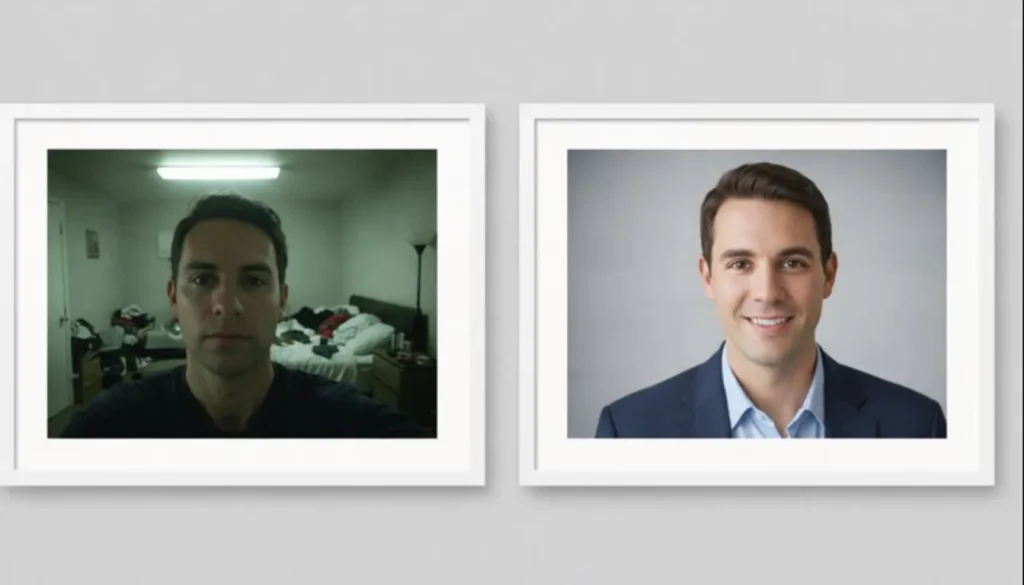
Selfies are out. Cropped pictures from weddings are out. You need a high-resolution professional shot.
But "professional" does not mean boring.
Smile. It builds trust.
Eye Contact. Look at the camera. It creates a connection.
Background. Keep it clean or blurred.
The Banner Image
This is the most wasted real estate on LinkedIn. Your background image is one of the first visual elements visitors see. Use it to communicate your company, the audience you serve, the outcome you create, and the most relevant next step.Your banner should include:
A clear value proposition (e.g.,"Helping SaaS Founders Scale to $10M").
Social proof (logos of companies you worked with or media features).
A call to action.
The Technical Polish (URL & Settings)
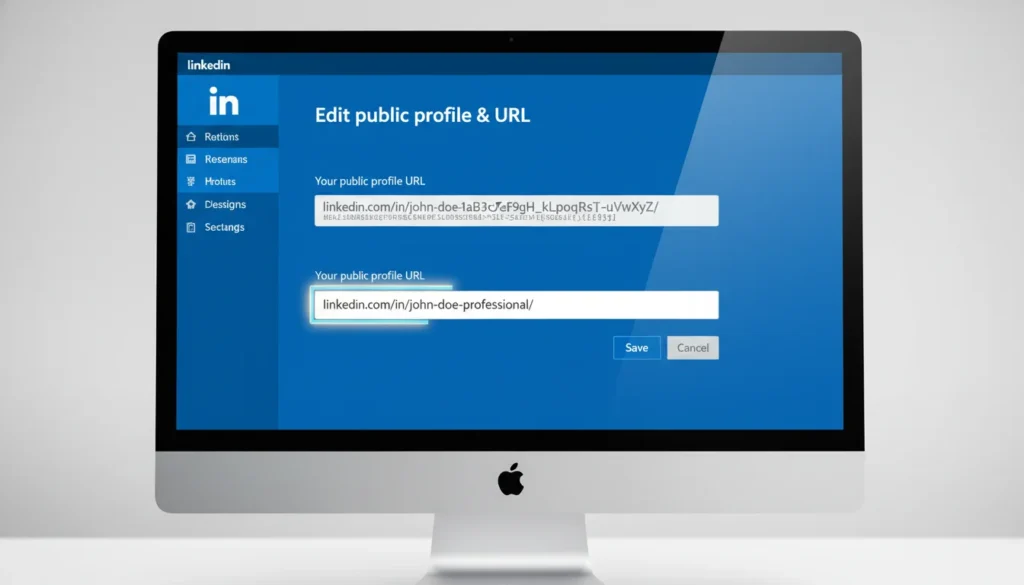
Before we move to the text, we have to fix a small technical detail that screams "amateur" to investors. Look at the URL in your browser bar.
Does it look like this? linkedin.com/in/john-doe-29b84291
Those random numbers at the end? They tell the world you stuck with the default settings. It looks messy on a pitch deck or a business card.
Go to your profile page and look for "Edit public profile & URL" on the top right.
Change it to linkedin.com/in/yourname. If your name is taken, add a middle initial or a relevant suffix like "founder" or "cmo."
This serves two purposes. First, it looks clean. Second, Create a clean custom URL using your name or professional brand. LinkedIn states that a customised public URL helps members and recruiters identify your profile and connect with you more easily. It also looks cleaner when shared on a website, pitch deck, email signature, or business card.
Step 2: The Headline (Your 220-Character Pitch)
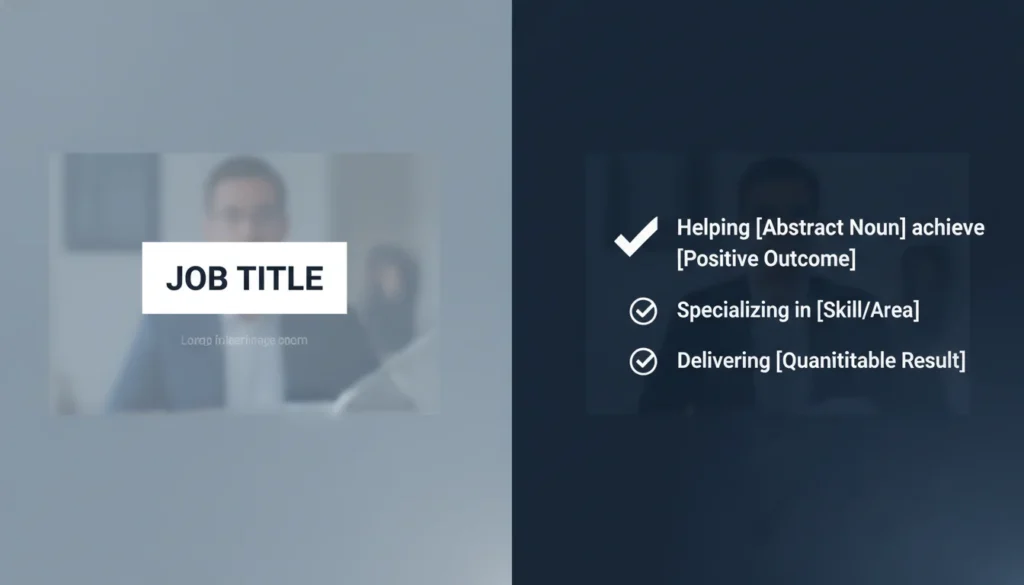
A headline containing only your job title gives visitors limited context about your expertise and value. Use the available space to explain your role, the audience you help, the outcome you create, and one relevant credibility marker.
"CEO at TechCorp" tells me nothing. "Helping Fintech Startups Automate Operations | CEO at TechCorp" tells me everything.
Use this formula specifically for linkedin profile optimization:
[Title] | [Who You Help] | [How You Help Them] | [One Fun/Human Element]
When optimizing your headline, explain who you help and how you make a difference.
Example:
Before: Marketing Director at GMB Pro.
After: Fractional CMO for HealthTech | Scaling Startups from Seed to Series A | Speaker & Dog Dad.
This structure combines relevant professional keywords with a clear value proposition, helping both LinkedIn users and search systems understand your area of expertise.
Step 3: The About Section (Your Manifesto)
Competitors will tell you to stuff keywords here. We tell you to tell a story.
People buy from people. Your About section should read like a narrative that connects your past experience to your current mission.
Try this structure:
The Hook: Start with a strong belief or a problem you solve.
The Struggle: Briefly mention how you learned your lessons.
The Solution: deeply explain what you do now.
The Proof: Mention key wins or metrics.
The CTA: Tell them what to do next (DM you, visit a website, etc.).
Keep the paragraphs short. Use white space. No walls of text.
Step 4: The "Featured" Section Funnel
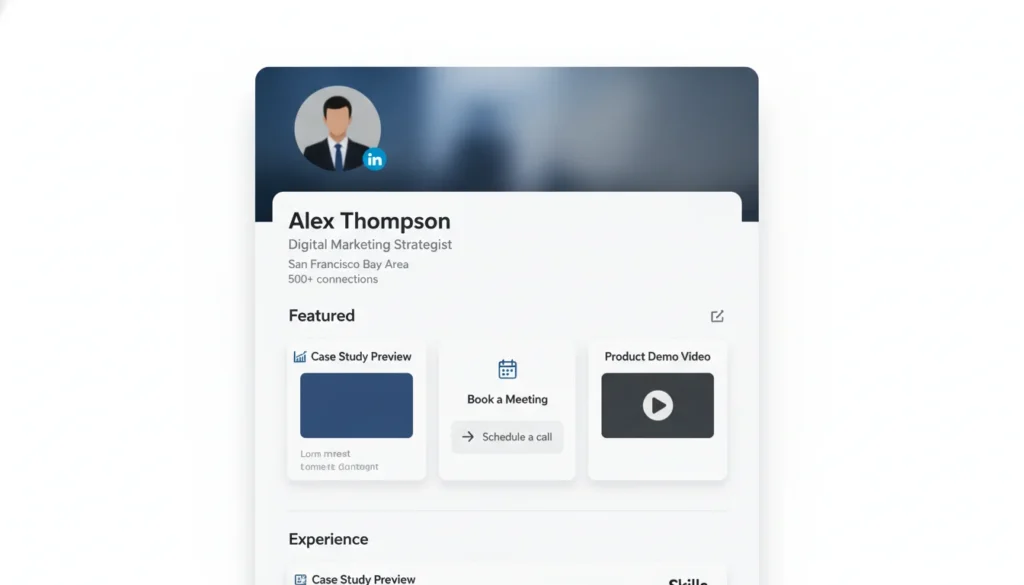
This is where you turn viewers into leads.
LinkedIn allows you to pin posts, links, or media to the top of your profile. Do not leave this blank.
If you are a consultant, link to your booking calendar. If you are a founder, link to your best case study. If you are a speaker, link to a video of you on stage.
Think of this section as your portfolio. It provides evidence that you are who you say you are.
LinkedIn Service Pages: A Lead Generation Asset
If you sell services or consulting, there is a hidden landing page you are probably ignoring. It is called the LinkedIn service Page.
This is distinct from your main profile. It allows you to list specific offerings like "Executive Coaching," "SaaS Strategy," or "Fundraising."
Why does this matter? Because If you offer consulting or professional services, consider creating a LinkedIn Service Page.
LinkedIn describes Service Pages as free, dedicated landing pages that showcase services and operate through a request-and-proposal model. Potential clients can submit service requests from a personal profile or Company Page. Complete the page with a focused description, relevant services, examples of work, and genuine client reviews.It also allows people to send you a request for a proposal even if they are not connected with you.
Set this up immediately. To create one from a personal profile, select “Add profile section” and then “Add services.” Choose the services most closely connected to your current positioning and write a specific description of the clients, challenges, and outcomes you support.
Step 5: Experience and Skills Section
You still need to please the algorithm. This is where the best practices for 2026 come into play.
Job Descriptions: Don't list duties. List achievements. Use numbers. "Managed a team" is weak. "Led a team of 15 to generate $2M in Q4 revenue" is strong.
Skills: LinkedIn allows you to display up to 100 skills. Prioritise skills that support your current positioning, associate them with relevant experience, and remove outdated skills that could confuse recruiters, clients, or search systems.
Keywords: Sprinkle industry terms naturally throughout the experience section. This helps recruiters find you.
Advanced Strategy: Creator Mode
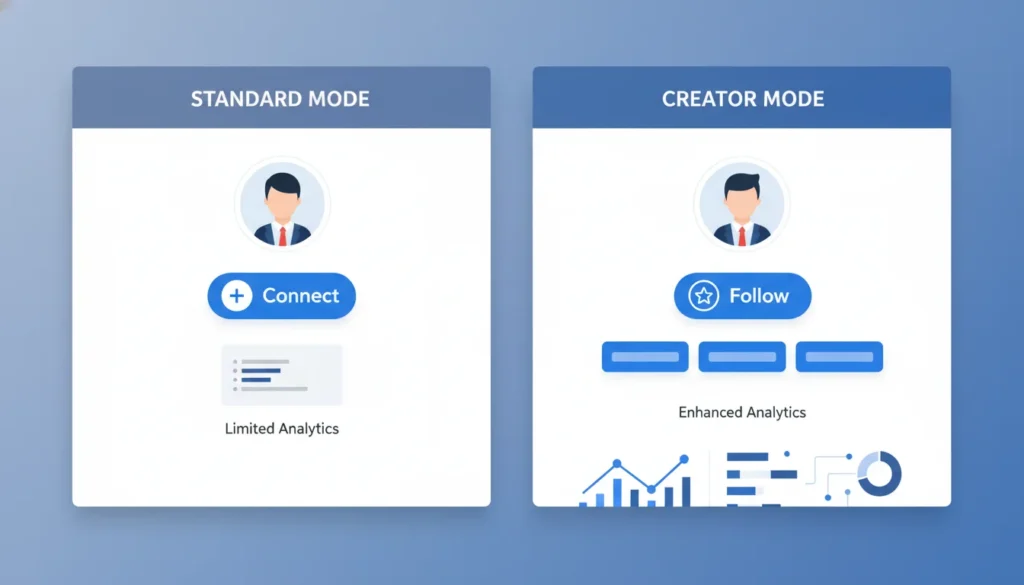
Creator Mode is the tool used by top LinkedIn influencers to scale their audience beyond the connection limit. For years, LinkedIn was built around connecting with everyone. That works for a contact list, but not for thought leaders.
If your goal is to become a thought leader, switching to Creator Mode is a non-negotiable step.
This feature changes your profile in 3 critical ways for 2026:
1. Follow vs. Connect: It changes the primary blue button on your profile from "Connect" to "Follow." This is vital for executives. It protects your inbox from spam while allowing your audience to grow unlimitedly. You want 10,000 followers, not necessarily 10,000 connections you have to manage.
2. Deeper Analytics: Eligible members can access post and audience analytics from the Analytics section of their profile or through their post-impression data. Use these insights to evaluate which subjects, formats, and audiences produce the strongest professional engagement.
If you are serious about treating your profile as a funnel, Creator Mode is the switch that turns the lights on.
Step 6: Beyond the Profile (Content Strategy)
An optimised profile can still be discovered through search, recruiter activity, mutual connections, messages, and direct profile visits. Consistent content increases the number of opportunities for relevant people to encounter your expertise and visit your profile.
Profile optimization is the foundation. Content creation is the fuel.
For executives, effective B2B marketing strategies on LinkedIn rely less on ads and more on organic thought leadership. Use LinkedIn to publish practical insights, informed opinions, company lessons, and first-hand experience relevant to your audience. Start with a sustainable cadence, such as one or two high-quality posts per week, and adjust it using your content and audience analytics. Share your insights, your failures, and your company updates.
Publishing relevant content can generate profile visits from readers who want to understand your experience or company. A well-structured profile then gives those visitors clearer reasons to follow, connect, visit your website, or begin a conversation.
The Secret Ingredient: Social Proof
You cannot just say you are great. Others have to say it for you.
Recommendations: Request recent, specific recommendations from clients, partners, investors, or colleagues who can verify your work. Prioritise relevance and detail over reaching a fixed number. Ask contributors to mention the challenge, your contribution, and the outcome wherever appropriate.
Endorsements: Skill endorsements provide supporting credibility and may increase the likelihood of being discovered for opportunities connected to those skills. Treat them as professional proof, not as a general Google ranking tactic.
Step 7: The "Activity" Audit (Reputation Management)
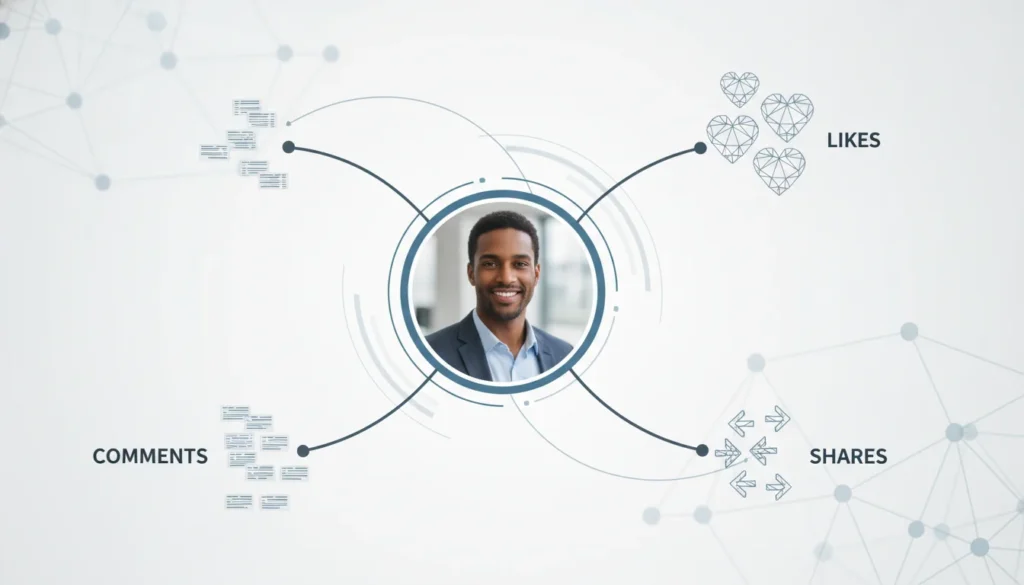
Your Activity section can display posts, comments, articles, and other LinkedIn activity to people who can view your profile, subject to your visibility settings. Review it regularly because it contributes to the professional impression visitors form about you.
When a potential investor looks you up, the first thing they often check is your "Activity" tab to see how you behave in the wild.If they see you leaving generic "Great post!" comments, you look like a bot. If they see you arguing in the comments section of a political post, you look like a liability.
Your comments are mini-guest posts, they should add value. Smart engagement, often referred to as commenting for better reach, turns your comments into mini-advertisements for your profile.
Use the "Add, Don't Subtract" rule. When you comment on an industry peer's post, add a new perspective, a supporting statistic, or a respectful counter-argument.
Psychologically, this triggers the Reciprocity Principle. When you leave a high-value comment on a top voice's post, their audience sees your headline. A relevant, thoughtful comment can demonstrate your expertise to the author and their audience. This may encourage profile visits, connections, or conversations, but the objective should be professional value rather than guaranteed reach or conversion.
Final Thoughts: What LinkedIn Profile Optimisation Means for Founders
A stagnant profile is a liability. An optimized profile is an asset.
By fixing your visuals, rewriting your headline, and telling a compelling story in your About section, you position yourself as an authority.
If you are a busy executive and this sounds like a lot of work, you are right. It is. But the ROI is massive.
If you want an expert team to handle the heavy lifting for you, check out our professional LinkedIn branding services. An optimised LinkedIn profile makes your positioning easier to understand and your experience easier to verify. It cannot guarantee leads, investment, or recruitment outcomes, but it gives qualified visitors a clearer reason to follow, connect, visit your website, or begin a conversation. Explore our LinkedIn branding services for profile strategy, executive positioning, and content support.