
Your LinkedIn profile might be the first thing a potential client sees before deciding whether to connect with you, reply to your message, or explore your business.
But here's the problem: most profiles read like online resumes. They list job titles, responsibilities, and achievements without explaining why any of it matters to the person viewing them.
If you're using LinkedIn for B2B sales, lead generation, or business development, your profile needs to do more than tell people what you do. It needs to show them who you help, what problems you solve, and why they should trust you.
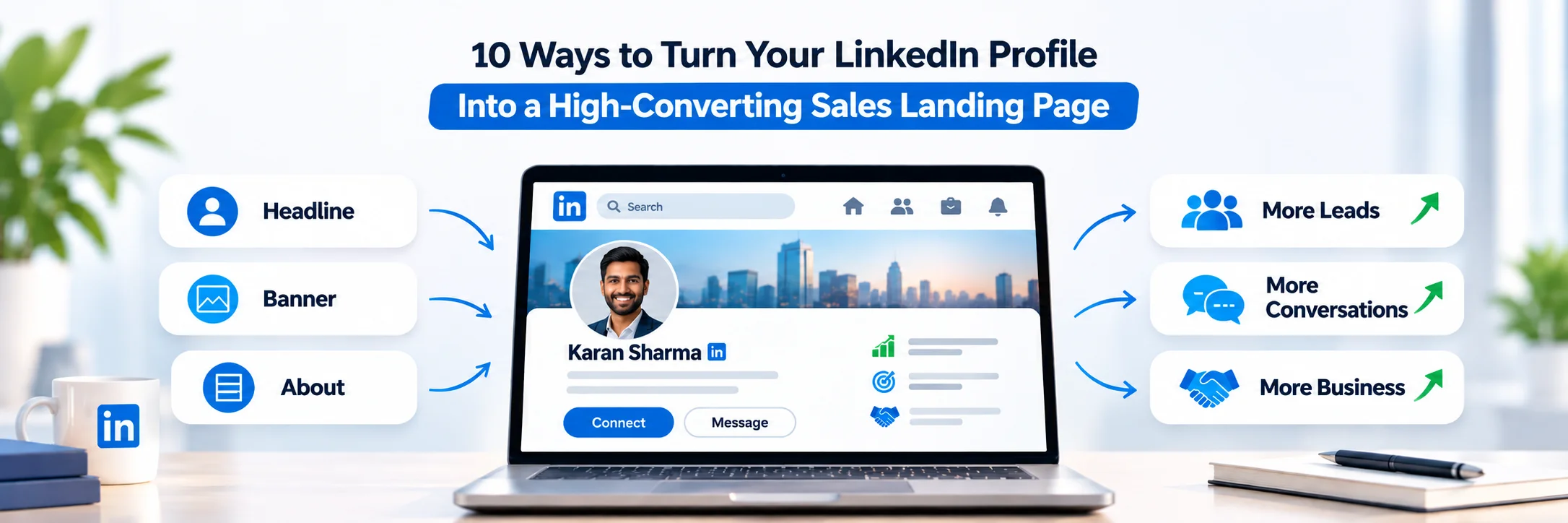
Think of your profile as a sales landing page. Every section should give the right people a reason to learn more about you.
Here are 10 ways to make that happen.
1. Write a Headline That Communicates Your Value
Your headline is one of the first things people see on your LinkedIn profile.It's visible in search results, connection requests, comments, and messages.
A generic headline like "Sales Executive at ABC Company" tells people your position, but it doesn't tell them what you can do for them.
Instead, use your headline to communicate your audience, the problem you solve, and the value you bring.
For example:
Instead of: Sales Executive | ABC Company
Try: Helping B2B Companies Build Stronger Sales Pipelines | Business Development
The second headline gives visitors a clearer idea of your work and who might benefit from it.
Keep your most important information at the beginning, use relevant keywords naturally, and avoid making claims you can't support.
If you want to improve this section further, understanding the basics of linkedIn headline optimization can help you make your positioning clearer while keeping the wording natural and relevant.
The goal: Make the right person think, "This could be relevant to me."
2. Choose a Professional, Approachable Profile Photo
People want to know who they're interacting with, especially when a business conversation starts online.
A clear, recent profile photo helps make your profile feel more personal and credible. You don’t need a costly photoshoot or a perfectly posed corporate photo.
Choose a high-quality image with good lighting, a simple background, and your face clearly visible. Wear something that fits your industry, and aim for a natural expression.
Avoid blurry pictures, heavily filtered selfies, and images where your face is difficult to recognize.
Remember, professional doesn't have to mean stiff. You want to look like someone people would feel comfortable having a conversation with.
3. Use Your Banner to Reinforce Your Brand
Your banner is valuable profile space, yet many people leave it blank or use a random image that adds little to their professional identity.
Use this space to reinforce your positioning.
Depending on your goals, your banner could include:
Your core value proposition
Your company's services or area of expertise
A short statement about the audience you help
A website or relevant brand identity element
For example, a consultant working with SaaS companies could use a banner that says:
"Helping SaaS Teams Turn Better Positioning Into More Qualified Leads."
Tools like Canva make it easy to create a clean, branded banner without advanced design skills.
Keep the layout simple and make sure the text remains readable on both desktop and mobile. Your banner should support your headline, not compete with it.
4. Write an About Section That Speaks to Your Audience
Your About section is where visitors can understand your work beyond a headline.
A common mistake is filling it with corporate language, career history, and vague statements about being passionate about excellence.
Instead, write like you're explaining your work to a real person.
Start with a problem your target audience recognizes. Explain how you approach it, what makes your work useful, and what someone can expect from working with you.
For example:
"Finding the right prospects is only one part of building a strong sales pipeline. The bigger challenge is starting relevant conversations with the people who actually need what you offer.
I work with B2B teams to improve their LinkedIn presence, identify relevant decision-makers, and build more meaningful outreach processes.
My focus is on making professional conversations more relevant, personal, and useful."
This is more informative than a list of buzzwords because it connects your work to a problem people understand.
Use short paragraphs, simple language, and a first-person voice. Make it sound like you, not a company brochure.
Your About section works even better when it supports a consistent professional identity across the rest of your profile. A clear linkedIn branding strategy can help your positioning, messaging, visuals, and content tell the same story.
5. Make Your Featured Section Work for You
Your headline and About section tell people what you do. Your Featured section can help demonstrate it.
Use this space to showcase content that gives visitors a reason to trust your expertise.
Depending on your role, you could feature:
A case study explaining a challenge and its outcome
A useful industry guide or resource
A presentation demonstrating your expertise
A strong post that reflects your approach to solving a problem
A client testimonial or project example you have permission to share
For instance, if you help businesses improve their LinkedIn presence, a profile audit or a practical guide to writing better outreach messages could be more convincing than simply claiming you're good at LinkedIn.
Choose items that help show how you want people to see you.A few relevant resources are more useful than a collection of unrelated posts.
6. Turn Your Experience Into Evidence of Impact
Your Experience section shouldn't read like a list of everything you were asked to do at work.
Instead of focusing entirely on responsibilities, explain the work you contributed to, the problems you addressed, and the outcomes you helped achieve.
For example:
Task-focused description:
"Responsible for LinkedIn outreach, prospect research, and follow-ups."
Impact-focused description:
"Researched target accounts, identified relevant decision-makers, and managed personalized LinkedIn outreach and follow-ups to support business development efforts."
The second version provides a clearer picture of your contribution without inventing results.
If you have measurable outcomes, include them. You could mention qualified conversations started, response rates improved, campaigns managed, or projects delivered, provided the figures are accurate and you have permission to share them.
If you're early in your career, don't worry about having impressive revenue numbers. Specific responsibilities, thoughtful processes, and relevant projects can demonstrate your value too.
7. Add the Right Keywords Naturally
LinkedIn is also a search platform. Prospects, recruiters, and potential partners may search for people based on their skills, industries, services, and areas of expertise.
If your profile doesn't clearly mention those things, the right people may have difficulty finding or understanding you.
Start by identifying the terms your target audience would actually use.
For example, someone offering B2B lead generation might use relevant terms such as:
B2B lead generation
LinkedIn outreach
Sales prospecting
Account research
Business development
Demand generation
Include appropriate keywords in your headline, About section, Experience section, and Skills section.
However, don't stuff your profile with every possible industry term. Use keywords where they accurately describe your work and fit naturally into the text.
The aim is to make your expertise easier to discover and understand, not to turn your profile into a search-term list.
8. Build Credibility With Recommendations
When someone visits your profile, they may wonder whether you can actually deliver what you describe.
Recommendations from people who have worked with you can help answer that question.
Ask former clients, managers, colleagues, or collaborators to share their experience of working with you. A useful recommendation should be specific rather than simply saying you're hardworking or a great person.
For example, it could describe your communication, reliability, research skills, problem-solving approach, or contribution to a particular project.
You can make the process easier by asking someone to focus on one specific project or skill they experienced firsthand.
How you ask also matters. A thoughtful linkedIn recommendation request gives the other person enough context to write something specific without making the request feel scripted or uncomfortable.
Never pressure people to write exaggerated praise or suggest results they cannot verify. Genuine recommendations are more credible than perfectly worded but generic testimonials.
9. Use Your Activity to Show How You Think
Your profile doesn't exist in isolation. People can also look at your posts, comments, and other activity to understand your interests and expertise.
This is an opportunity to demonstrate your thinking before a prospect ever contacts you.
You don't have to publish a long post every day. Start with consistent, useful activity:
Share lessons from projects and professional experiences.
Explain common mistakes in your industry.
Offer practical advice your target audience can use.
Comment thoughtfully on posts from relevant founders, decision-makers, and industry professionals.
Share your perspective on developments that affect your audience.
For example, instead of commenting "Great insights!" on a post about sales outreach, explain one specific point you agree with or add a practical observation from your experience.
Useful comments can help you join relevant conversations and give people a reason to visit your profile.
Focus on contributing something meaningful rather than posting simply to stay active.
10. Give Visitors a Clear Next Step
You've explained what you do, shown your expertise, and built some credibility. Now make it easy for interested visitors to take the next step.
Without a clear call to action, people may leave your profile without knowing how to engage with you.
Your CTA should match your goals and the type of audience you're targeting.
For example:
For consultants: "Have a question about improving your LinkedIn presence? Send me a message."
For service providers: "Looking to improve your B2B outreach process? Let's connect and discuss your goals."
For content creators: "Follow me for practical insights on content strategy and personal branding."
Place a relevant CTA at the end of your About section or in suitable profile content. If you have access to a relevant profile link feature, you can also direct visitors to a booking page or website.
Keep the invitation simple. You don't need to push every visitor into a sales call. Sometimes, starting a useful conversation is the right first step.
How to Bring All 10 Elements Together
Optimizing your LinkedIn profile isn't about making every section sound impressive. It's about creating a consistent message.
Your headline should communicate your value. Your photo and banner should establish a professional first impression. Your About and Experience sections should explain your work. Your Featured section, recommendations, and activity should support your credibility. Finally, your CTA should help interested visitors take action.
When these elements work together, your profile becomes a more effective part of your sales process. If you want to review all these elements together, a structured linkedIn profile optimization approach can help you align your headline, About section, experience, credibility signals, keywords, and next step around one clear message.
But remember: a well-optimized profile supports sales; it doesn't guarantee them. Results still depend on the relevance of your audience, the quality of your offer, your outreach, and the conversations you build.
Final Thoughts
LinkedIn is often treated as a place to display professional credentials. For people using it to build relationships and generate business, it can do much more.
A thoughtfully optimized profile helps potential clients understand what you offer, recognize whether you're relevant to their needs, and decide whether they want to engage with you.
Start with the basics. Rewrite your headline, improve your About section, add relevant proof of your work, and make your next step clear. Then review your profile from the perspective of your ideal customer.
Ask yourself one question:
If someone from my target audience landed on my profile today, would they immediately understand why connecting with me could be valuable?
If the answer is unclear, you know where to begin.